
Understand your ALCIVIA account statement
Select the statement type that matches the statement you received. Then tap any numbered area to see a plain-language explanation.
Which statement are you reviewing?
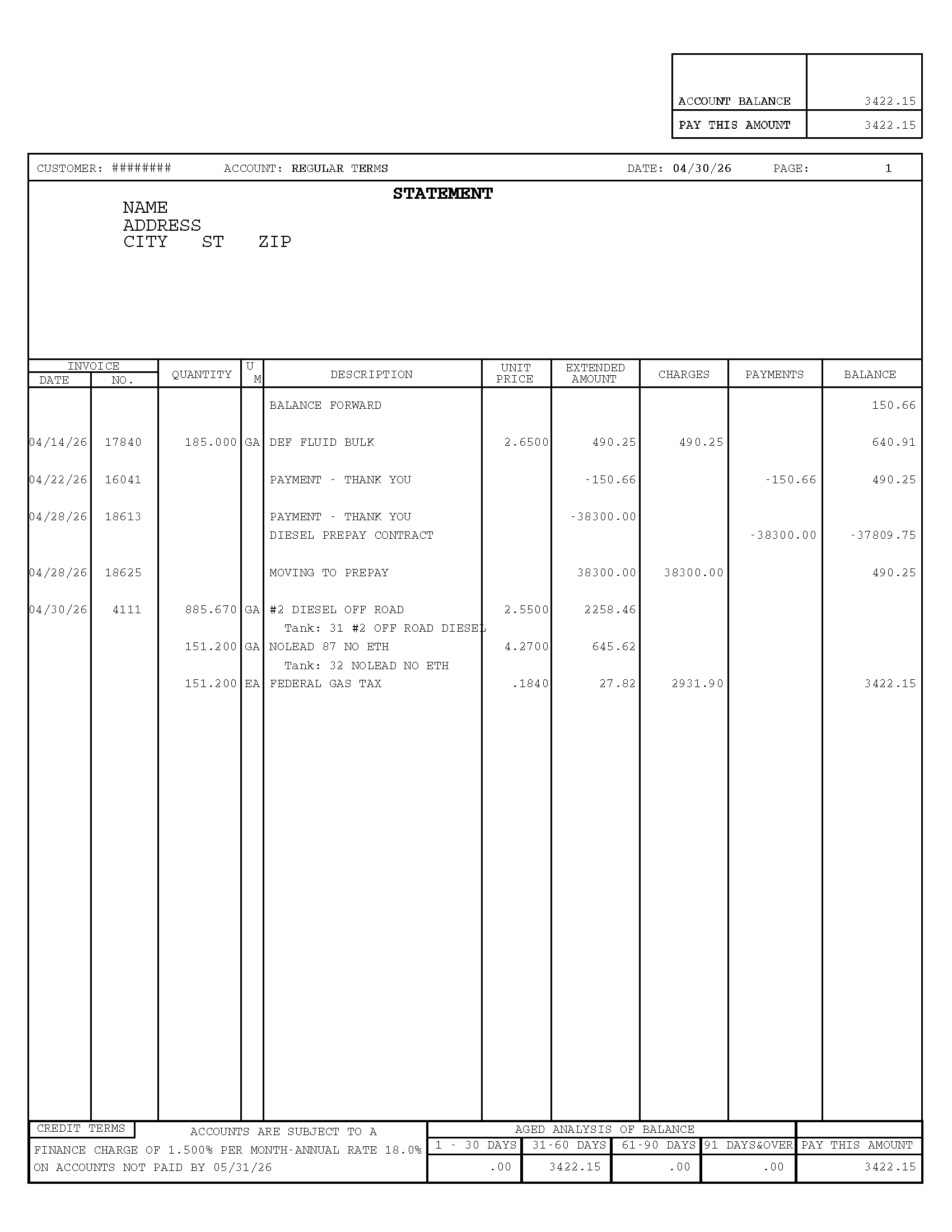
Pay This Amount
Start here. This box shows the amount currently shown as due on your regular statement.
If you are figuring out what to pay, this is the best place to start — it is also the amount that appears on the detachable payment stub.
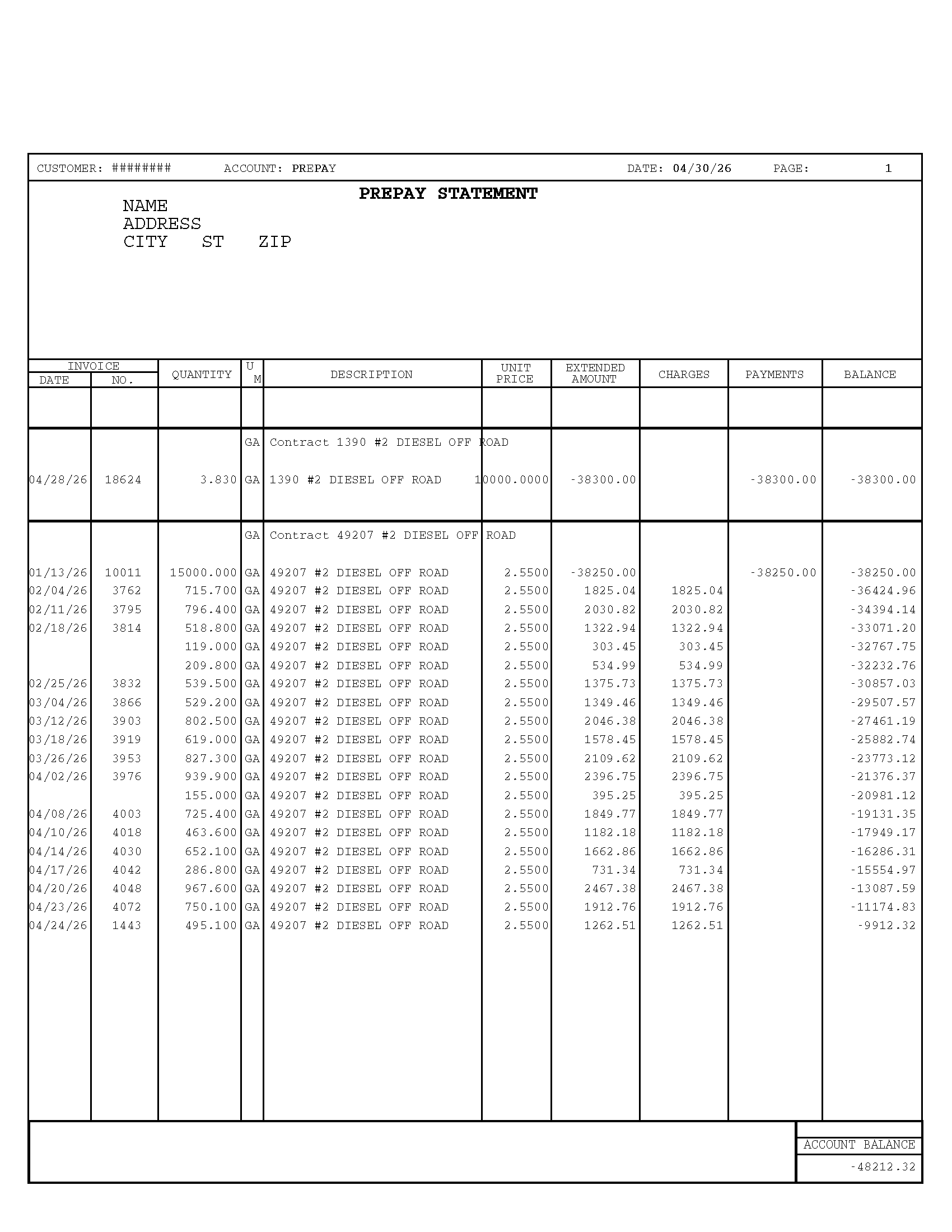
Negative Balance = Prepaid Credit Remaining
You are in the right place. On a prepay statement, a negative number usually means prepaid credit remaining — not money owed.
In this example, −$9,912.32 means there is still $9,912.32 worth of prepaid product available to draw against under that contract.
If you used more than you prepaid, the overage typically rolls onto your regular statement.
You’re in the right place.
On a prepay statement, a negative number usually means prepaid credit remaining — not money owed.
Prepays are product-specific. They only draw down when the product billed matches a product you have prepaid for. Anything else is billed to your open account and shown on your regular statement.
- If the product on the invoice is not one you have prepaid for, your prepay balance is not used — the charge posts to your regular statement instead.
- If you run out of prepay on a covered product, the overage rolls onto your regular statement / open account.
- Any balance on your regular statement is due within your account terms, even if you still have a prepay balance for a different product. Past-due regular balances may incur a finance charge.
If a finance charge looks unexpected, the ALCIVIA Credit team can walk through the activity with you.
This is normal when funds move between your regular account and a prepay contract. The two matching entries net to $0 — it's the same money moving from one bucket to another.
On a prepay statement, a negative balance usually means you still have prepaid credit remaining — not that you owe money.
Some customers receive both a regular and a prepay statement. Each one shows a different part of your account activity.
Payments only appear if they posted before the statement date. Payments made after that date will appear on your next statement.
Charges increase your account balance. Payments and credits reduce it.
The aging section shows how long balances have been outstanding — grouped by 1–30, 31–60, 61–90, and 91+ days.
Your due date appears near the Pay This Amount box. If you're unsure, the ALCIVIA Credit team can help.
Yes — sign in to myALCIVIA to view, download, and pay statements right from your phone or browser.

Manage your account — anytime, anywhere
Sign in to myALCIVIA, the ALCIVIA customer portal, to view and download statements, see invoices and purchase history, and make payments — right from your phone or browser.
- View & download statements
- See invoices & purchase history
- Make payments where available
- Review recent account activity

View the cheat sheet
A printable guide covering every numbered area on both statement types, plus the most-asked questions and a glossary.
